
We’ve all experienced the frustration of accidentally erasing data, formatting a disk, or experiencing a disk problem. The concern about losing data is normal. we are here Apeaksoft Data Recovery, An incredibly quick, privacy conscious and powerful solution.
About Apeaksoft Data Recovery:
Data loss can occur for many reasons; This specialized data recovery application can handle everything from basic unintentional deletions to more complex cases like virus attacks, system failures or formatted disks.
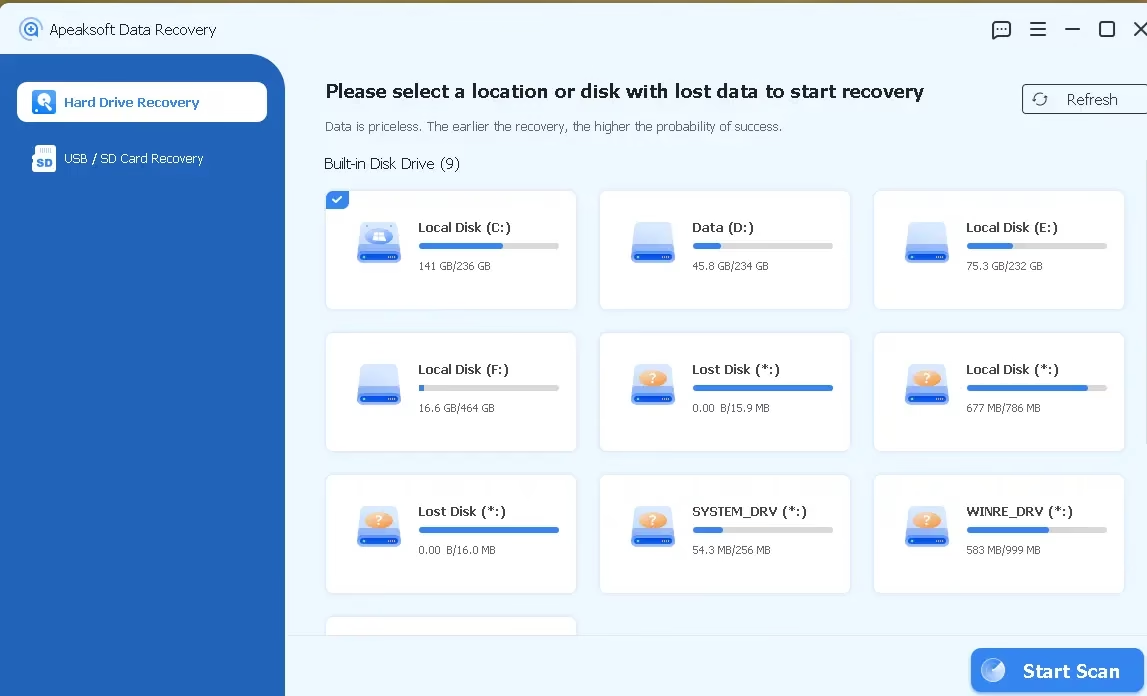
Its main selling point is that it supports over 200 popular and uncommon file types, so you can restore accidentally deleted files with just one click without compromising their quality or format.
If you accidentally deleted files, formatted the drive, or experienced a system crash, this program will help you recover them without sacrificing your privacy.
In addition to being compatible with both MacOS and windowsIt also works well with:
- Disks, both internal and external
- flash drives that are usb
- sd/cf flash drive
- Drones, digital cameras and cellphones (includes iPhone and Android)
Almost any storage device you have should be able to run this software as it supports multiple file systems including NTFS, FAT16, FAT32. exfatand EXT.
key features:
Here’s a quick overview of what Apeaksoft Data Recovery brings to the table:
- Wide Format Support: Recovers media files (photos, videos, audios, documents, emails and archives)
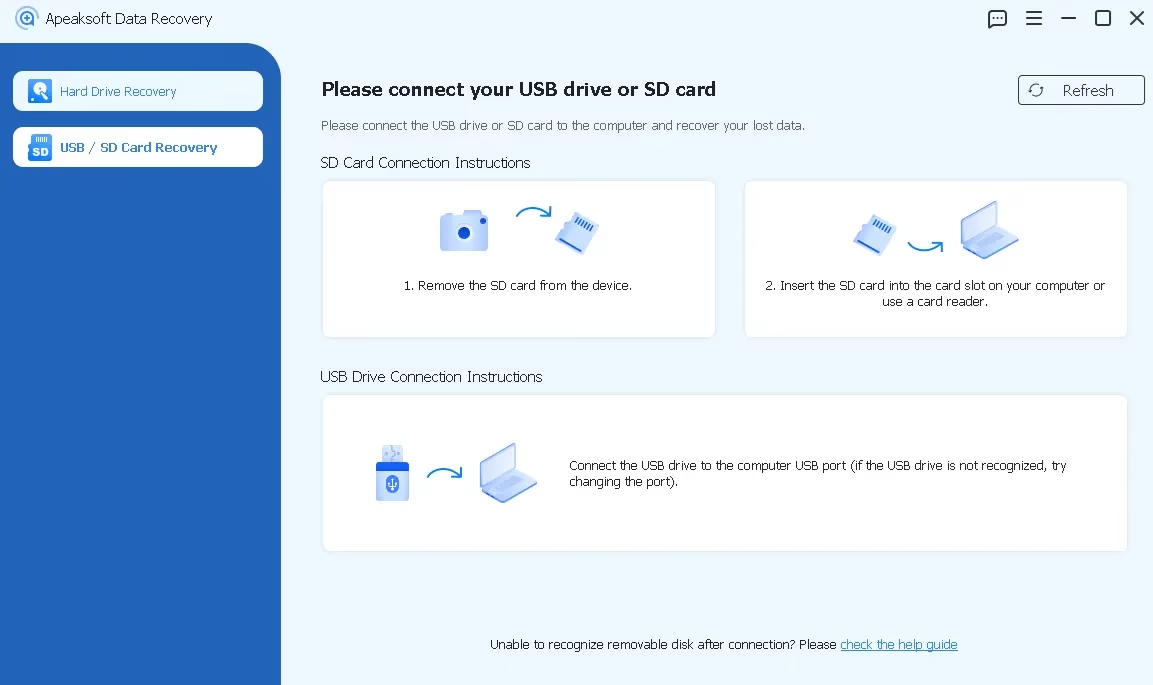
- Wide Device Compatibility: Compatible with digital cameras, memory cards, USB flash drives, and internal and external hard drives.
- Selective Recovery: You can preview the scan results before recovery begins, allowing you to select the data you need.
- Dual scanning mode: quick and deepTo optimize recovery chances, Apeaksoft Automatically runs both quick scan and deep scan, ensuring no files are left behind.
- Handles complex data loss scenariosBe it a RAW disk, deleted partition, system crash, or virus attack, Apeaksoft can recover it all.
Apeaksoft Data Recovery Free 1-Year License:
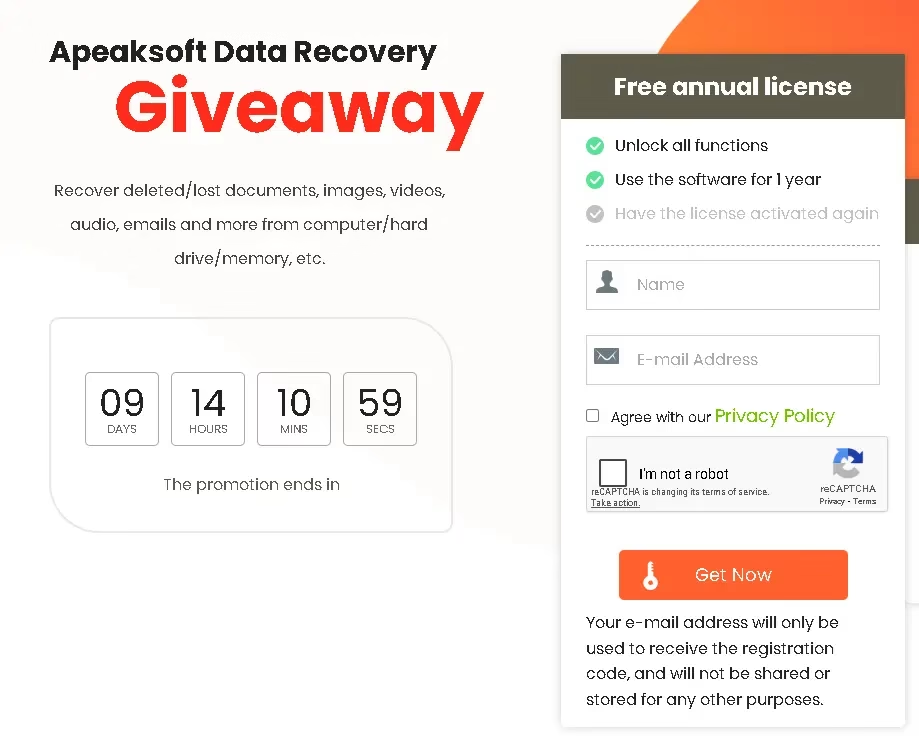
Visit this gift page: https://www.apeaksoft.com/special/
Submit your details (name, email and reCAPTCHA), confirm your acceptance of the Privacy Policy, and then press the “Get Now” button.
Next, look for the license code in the email from Apeaksoft (registration@apeaksoft.com); Copy this.
download software from https://downloads.apeaksoft.com/
Install the software by running the installer and completing the setup process.
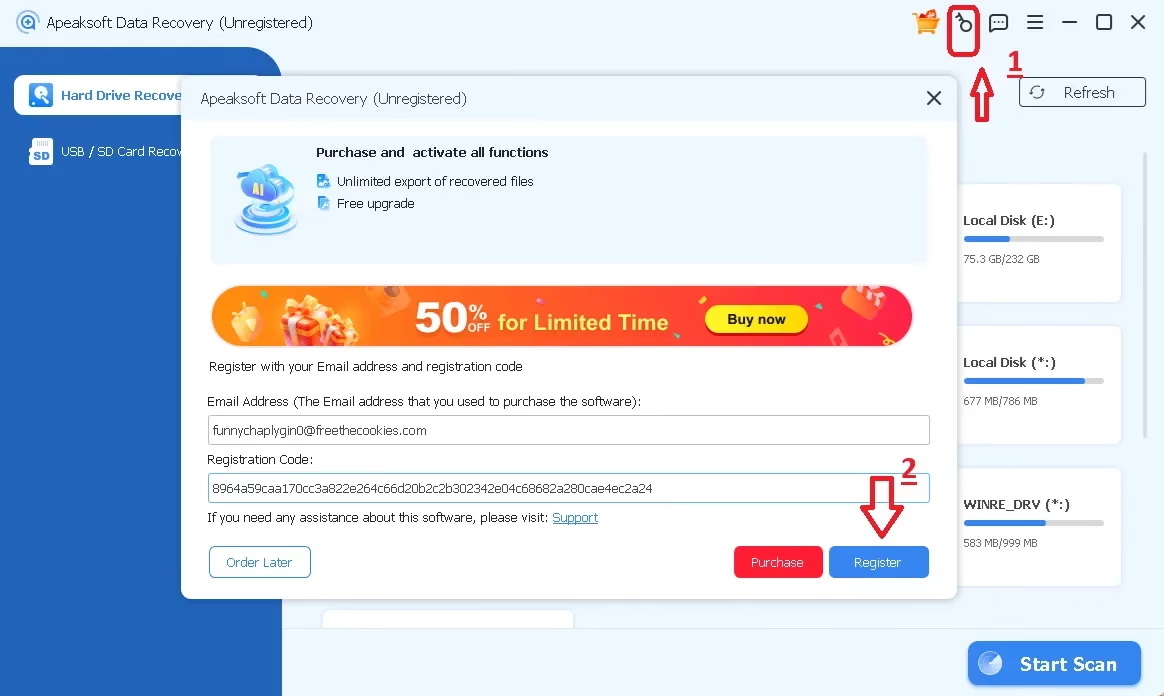
Launch the app, find and click the “Key” icon on the main interface of the app
Once the pop-up window appears, enter your email address along with the license number you received and click the “Register” button.
.
🧮 conclusion:
Apeaksoft Data Recovery is an excellent data recovery Solution with many useful features. It has a good mix of user-friendliness and complex features (like preview, dual scan, and extensive file support).
Not lossless (it depends on disk state and can’t promise 100% recovery like other recovery tools), but it can work for many common situations (lost files, formatted drives, etc.).
Learn more from Techno360
Subscribe to get the latest posts delivered to your email.